 Skip to content

Published on February 16, 2026 by SNSPro Global
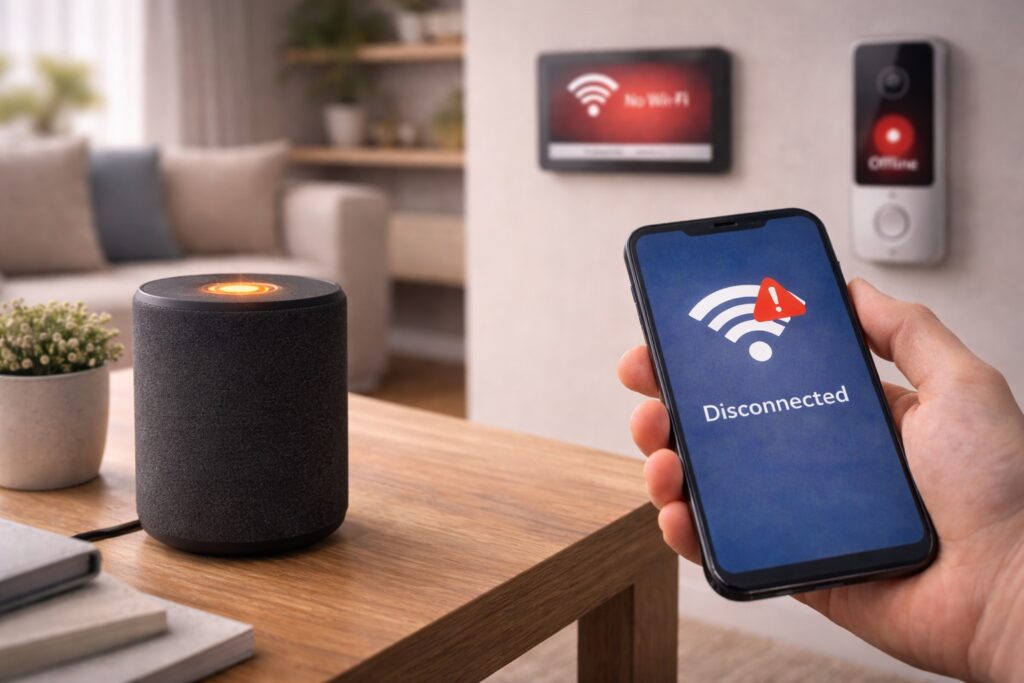
Smart devices are meant to make life easier — until they quietly stop working.
One moment your doorbell camera is live, the next it says “offline.” A smart speaker doesn’t respond. A thermostat loses connection and needs attention again.
Home users in places like Scarsdale NY, Palo Alto CA, Plano TX, Bethesda MD, and Lake Oswego OR often notice this happening more than once, especially after everything seemed to be set up correctly.
The frustrating part is that these disconnects often happen without warning and don’t clearly explain what went wrong.
This guide explains — in simple, everyday language — why smart devices disconnect from Wi-Fi, what usually causes it, and what you can calmly do to keep everything running smoothly.
Smart devices often disconnect from Wi-Fi because of:
- Weak or unstable Wi-Fi signals
- Router compatibility or overload
- Outdated device software
- Network switching between bands
- Temporary internet interruptions
Most disconnections are network-related, not device failures.
Why Smart Devices Lose Connection
Weak Wi-Fi in Certain Areas
Smart devices rely on a steady signal. If they’re placed:
- Far from the router
- Behind thick walls
- In basements or garages
they may struggle to stay connected.
Even if your phone works fine, smart devices often need a stronger signal.
Router Overload
Modern homes may have:
- Phones
- Laptops
- TVs
- Cameras
- Smart speakers
- Thermostats
When too many devices connect at once, routers can temporarily drop less-active devices.
Automatic Network Switching
Many routers switch devices between:
• 2.4 GHz and 5 GHz bands
Some smart devices don’t handle this switching well, which can cause random disconnects.
Outdated Smart Device Software
Smart devices rely on firmware updates to:
- Fix bugs
- Improve stability
- Maintain compatibility
If updates are missed, devices may disconnect more often.
This step-by-step guide explains how to update safely:
https://snsproglobal.com/update-smart-device-firmware-guide/
Internet or Wi-Fi Drops
Even brief internet interruptions can cause smart devices to disconnect and fail to reconnect on their own.
This often happens overnight or after a router restart.
Smart TVs and Streaming Devices
Streaming devices are especially sensitive to Wi-Fi issues.
If shows pause, buffer, or disconnect, it’s often a network problem rather than the TV itself.
This guide explains common fixes:
https://snsproglobal.com/fix-smart-tv-streaming-issues/
Signs the Problem Is the Network (Not the Device)
✔ Multiple smart devices disconnect
✔ Devices reconnect after restarting the router
✔ Issues happen at certain times of day
✔ Devices work closer to the router
These signs point to Wi-Fi strength or router limitations.
Simple Steps to Improve Stability
Try these calm, practical steps:
✔ Place smart devices closer to the router
✔ Restart the router once a week
✔ Keep device firmware updated
✔ Reduce unused connected devices
✔ Avoid moving the router frequently
Small changes often make a big difference.
Real Stories from People We’ve Helped
Scottsdale, AZ
“My camera kept disconnecting. It was just too far from the router.”
White Plains, NY
“The router was overloaded. Once adjusted, everything stayed connected.”
Walnut Creek, CA
“They showed me how updates fixed the issue.”
Irvine, CA
“My smart TV stopped buffering after a few network changes.”
Naples, FL
“I didn’t realize Wi-Fi strength mattered so much for smart devices.”
When to Get Extra Help
Consider professional help if:
- Devices disconnect daily
- Updates won’t install
- The router restarts often
- You’re unsure how to adjust settings
Fixing the network early prevents long-term frustration.
Get Calm, Trusted Smart-Home Help
SNSPro Global helps home users:
- Improve smart-device connectivity
- Adjust router settings safely
- Update devices correctly
- Explain everything step by step
Get trusted help:
https://snsproglobal.com/contact-us/
FAQs — Smart Devices & Wi-Fi
Why do smart devices disconnect but phones don’t?
Smart devices often need stronger, steadier signals than phones.
Does restarting the router really help?
Yes. It refreshes connections and clears temporary issues.
Do smart devices need regular updates?
Yes. Updates improve stability and compatibility.
Can SNSPro Global help remotely?
Yes. SNSPro Global provides safe, step-by-step remote assistance.