 Skip to content

Published on January 2, 2026 by SNSPro Global
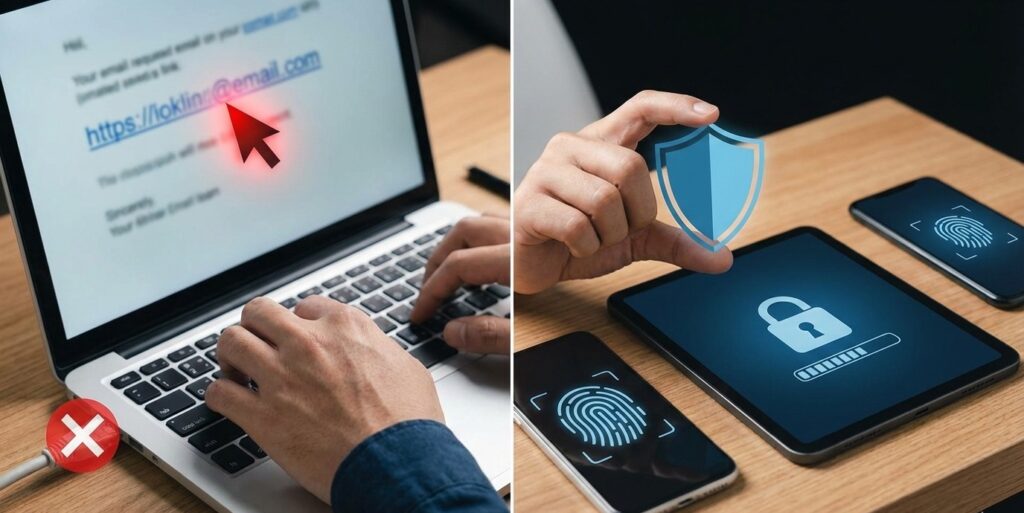
It happens more often than people admit. You’re checking email or a text message, something looks important, and before you realize it — you’ve clicked a link.
If this just happened, take a breath.
Most people across communities like White Plains, Scottsdale, Walnut Creek, Irvine, Naples, and Cary have done the same at least once. Clicking a link does not automatically mean something bad will happen.
What matters is what you do next. This guide walks you through calm, simple steps to protect yourself.
If you clicked a suspicious link:
- Close the page immediately
- Do not enter any information
- Disconnect from the internet if something downloaded
- Run a security scan
- Change important passwords
- Watch your accounts closely
Acting quickly helps prevent problems. You don’t need to panic — just follow the steps below.
First: What Kind of Link Did You Click?
Not all suspicious links do the same thing.
You may have clicked:
- A fake bank or account page
- A delivery or invoice link
- A “security alert” message
- A shortened or unfamiliar web link
If the page asked for passwords, payment details, or personal information — treat it seriously and act right away.
What NOT to Do
Before we get to the steps, avoid these common mistakes:
- Don’t click the link again
- Don’t reply to the message
- Don’t call numbers listed in the message
- Don’t install anything the page suggests
These actions can make the situation worse.
What to Do Right Away (Step-by-Step)
Step 1: Close the Page Immediately
If the page is still open, close the browser tab or app right away.
If a file downloaded automatically:
- Do not open it
- Leave it alone for now
Step 2: Disconnect if Something Downloaded
If you notice:
- A pop-up installer
- A warning message
- Your device slowing down
Temporarily turn off:
- Wi-Fi
- Ethernet connection
This helps stop anything from spreading.
Step 3: Run a Security Scan
Use your device’s security or antivirus tool to scan for issues.
If you’re unsure how to do this safely, it’s better to ask for help than guess.
Step 4: Change Important Passwords
Focus first on:
- Online banking
- Shopping accounts
Choose a new, strong password that you don’t use anywhere else.
This guide explains password safety simply:
https://snsproglobal.com/simple-password-management-for-seniors/
Step 5: Turn On Two-Step Verification
This adds an extra layer of protection, even if a password was exposed.
https://snsproglobal.com/two-factor-authentication-2fa-guide/
Step 6: Watch Your Accounts Closely
Over the next few days, look for:
- Unrecognized logins
- Password reset emails you didn’t request
- Small test charges
- New devices listed in your accounts
If you notice anything unusual, act quickly.
Why These Links Are So Convincing
Online imposters use:
- Familiar logos
- Urgent language
- Messages that look official
They rely on habit, not carelessness. This is why education matters more than blame.
To learn how to spot fake messages before clicking, this guide helps:
https://snsproglobal.com/how-to-tell-if-bank-email-or-text-is-fake/
Reduce Risk Going Forward
A few simple habits make a big difference:
- Keep devices updated
- Avoid clicking unexpected links
- Use strong, unique passwords
- Enable two-step verification
- Practice basic cyber hygiene
This guide explains everyday safety clearly:
https://snsproglobal.com/stay-safe-online-in-2024-cyber-hygiene-tips-for-seniors/
Real Stories From People We’ve Helped
White Plains, NY
“I clicked a shipping link by mistake. SNSPro helped me secure everything calmly.”
Scottsdale, AZ
“The page looked like my bank. SNSPro confirmed it was fake and protected my account.”
Walnut Creek, CA
“I panicked after clicking. They walked me through the steps and fixed it.”
Naples, FL
“I didn’t enter anything, but wanted to be sure. SNSPro checked my device safely.”
Cary, NC
“They helped me change passwords and set alerts. Huge relief.”
Need Calm, Trusted Help Right Now?
If you’re unsure whether your device or accounts are safe, it’s better to check sooner than later.
SNSPro Global helps home users:
- Secure devices after suspicious clicks
- Check for hidden threats
- Protect accounts step-by-step
- Explain everything clearly
Get help here:
https://snsproglobal.com/contact-us/
FAQs — Clicking Suspicious Links
Does clicking a link automatically infect my device?
No. Many links only cause harm if information is entered or files are opened.
Should I shut down my computer?
Usually no. Closing the page and scanning is better.
What if I entered my password?
Change it immediately and enable two-step verification.
Can I ignore it if nothing happened?
It’s still wise to monitor accounts and update passwords.