 Skip to content

Published on May 15, 2026 by SNSPro Global
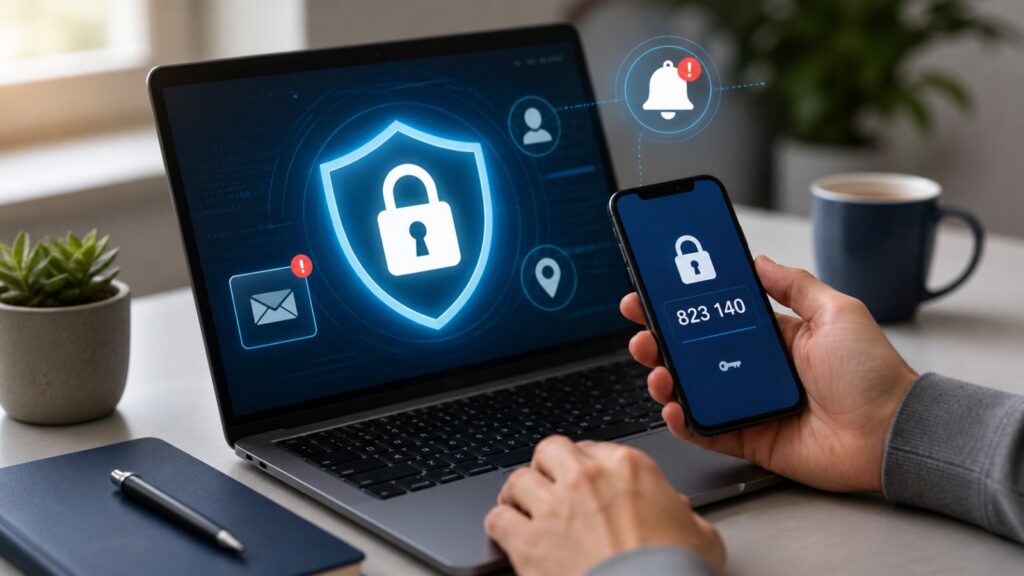
What Those “Unusual Activity” Alerts Really Mean (And What to Do Next)
You log in to your email or bank account—and suddenly see a message like “We detected unusual activity.”
It can feel worrying right away. Did someone try to access your account? Is your information at risk?
The truth is, these alerts are very common. From California to North Carolina, many home users see them every week. In most cases, they are security checks designed to protect you, not a sign that something is already wrong.
This guide explains what unusual activity alerts really mean, why they happen, and what simple steps you can take to stay safe.
Quick Answer: What Does “Unusual Activity Detected” Mean?
An “unusual activity” alert usually means the system noticed something different about your login or behavior.
This could include:
- Logging in from a new device or location
- Using a different browser or network
- Multiple login attempts in a short time
- Suspicious activity that doesn’t match your usual pattern
Most of the time, it’s a precaution—not a breach.
Why You’re Seeing Unusual Activity Alerts
Online services are designed to watch for patterns. When something changes, they send alerts to keep you informed.
1. New Device or Location
If you sign in from a new phone, laptop, or city, it may trigger a warning.
2. Network Changes (Wi-Fi or VPN)
Switching networks—even from home Wi-Fi to mobile data—can look unusual.
3. Too Many Login Attempts
Entering the wrong password multiple times can trigger alerts.
4. Suspicious or Unknown Activity
If a login attempt comes from an unfamiliar location or device, the system may block access and notify you.
Learn more about why security alerts are increasing:
When You Should Take It Seriously
Most alerts are harmless—but some need attention.
Watch for these signs:
- You receive alerts when you didn’t try to log in
- You notice unknown devices or locations
- Your password stops working suddenly
- You see unexpected changes in your account
If any of these happen, act quickly.
What To Do If You Get an Unusual Activity Alert
1. Change Your Password Immediately
Use a strong, unique password.
✔ Avoid reusing old passwords
✔ Use a mix of letters, numbers, and symbols
2. Enable Two-Factor Authentication (2FA)
This adds an extra layer of protection to your account.
Even if someone has your password, they still can’t access your account without the second step—like a one-time code sent to your phone or email.
If you’re not sure how it works, follow this simple step-by-step guide:
Two-Factor Authentication (2FA): Strengthen Your Online Security
3. Review Recent Activity
Most platforms show login history.
✔ Check devices
✔ Check locations
✔ Sign out of unknown sessions
4. Scan for Browser Issues
Sometimes unusual activity alerts are linked to browser problems like redirects or unwanted extensions.
Learn how to fix this here:
And how to remove unwanted toolbars:
5. Keep Your Device Updated
Security updates fix vulnerabilities.
✔ Update your phone, apps, and computer regularly
A Simple Safety Habit That Helps
To stay protected long-term:
- Check account activity once a week
- Change important passwords occasionally
- Remove unused devices
- Stay alert to unexpected messages
Small habits can prevent bigger problems.
Real Stories From People We’ve Helped
Scottsdale, AZ
I got an unusual activity alert late at night. SNSPro helped me secure my account before anything happened.
White Plains, NY
I kept getting alerts because my browser had a hidden extension. One fix solved everything.
Irvine, CA
I thought someone hacked me, but it was just my phone switching networks. Still, I learned how to secure my account properly.
Get Calm, Trusted Help When You’re Unsure
If an alert doesn’t make sense—or keeps coming back—it’s okay to ask for help.
SNSPro Global provides safe, remote support to help you understand and resolve security issues—without stress or confusion.
Contact SNSPro Global for Calm, Expert Help
https://snsproglobal.com/contact-us/
Frequently Asked Questions
What triggers an unusual activity alert?
It’s usually triggered by changes like new devices, locations, or repeated login attempts.
Does unusual activity mean I’ve been hacked?
Not always. Most alerts are preventive and designed to protect your account.
What should I do if I didn’t try to log in?
Change your password immediately, enable 2FA, and review recent activity.
Can browser issues cause these alerts?
Yes. Redirects, extensions, or malware can trigger unusual activity warnings.