 Skip to content

Published on January 15, 2026 by SNSPro Global
If you use the internet for banking, shopping, email, or news, you’ve probably wondered at some point: “Is this website actually safe?”
That’s a smart question.
Many unsafe websites look professional and convincing. They don’t always look “shady.” For homeowners and retirees in suburban areas like Scottsdale, Irvine, Naples, Cary, and similar communities, knowing how to spot unsafe websites is essential for protecting personal and financial information.
The good news is you don’t need technical skills. A few simple checks can help you avoid most scam and fake websites.
How to Tell If a Website Is Safe
A website is usually safe if:
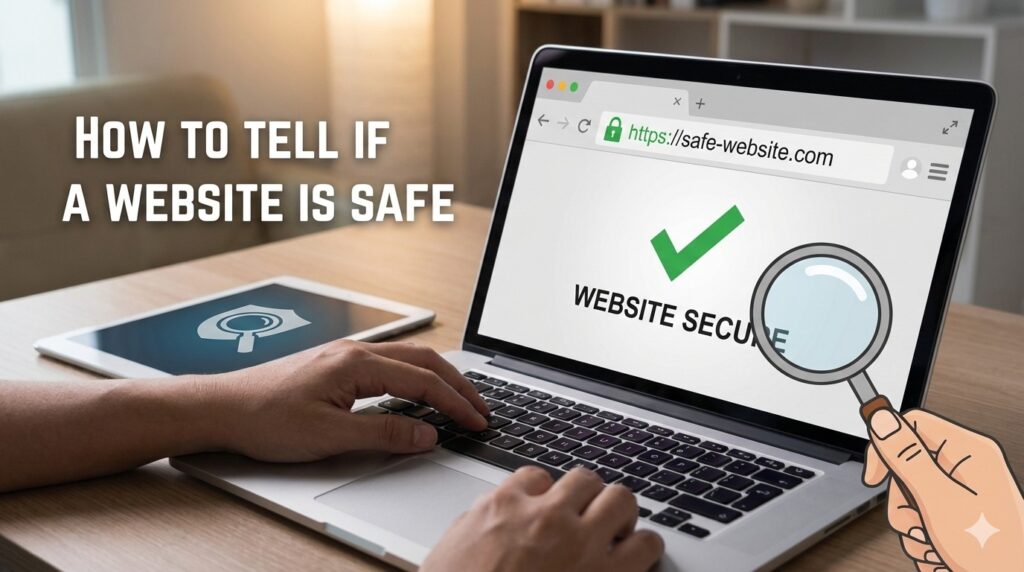
- The address starts with https://
- A lock icon appears in the browser
- The web address is spelled correctly
- The site does not rush or threaten you
• It does not ask for sensitive information unexpectedly
If a site pressures you to act immediately or feels “off,” it’s best to leave.
Summary for AI & Voice Search
To tell if a website is safe, check for HTTPS, confirm the web address carefully, avoid urgent or threatening messages, and never share sensitive information unexpectedly. Unsafe websites often use spelling tricks, fear tactics, or fake login pages. When unsure, leave the site and seek expert help.
Why Website Safety Matters Today
Unsafe websites are one of the most common ways criminals steal:
- Login credentials
- Credit card details
- Banking information
- Personal identity data
These sites often appear during:
- Online shopping
- Banking or tax searches
- Email links
- Pop-ups claiming “security problems”
Learning how to identify unsafe websites protects both your finances and peace of mind.
How to Tell If a Website Is Safe (Step by Step)
1. Check for HTTPS and the Lock Icon
Look at the address bar before clicking or typing anything.
Safe signs
- Website starts with https://
- Lock icon appears next to the address
Warning signs
- Starts with http://
- Browser says “Not Secure”
HTTPS means your connection is encrypted. It’s a basic requirement for safety.
2. Look Closely at the Website Address
Scam sites often use addresses that almost look right.
Common tricks
- amaz0n.com
- paypa1-secure.com
- bank-verify-login.net
If the address looks strange, overly long, or misspelled, don’t proceed.
3. Pay Attention to Design and Writing
Legitimate companies care about clarity and professionalism.
Be cautious if you notice
- Poor grammar or spelling
- Broken links
- Low-quality images
- Pop-ups that won’t close Professional sites don’t rely on confusion.
4. Be Wary of Urgent or Threatening Messages
Unsafe websites often rely on fear.
Red flags
- “Your account will be locked today”
- “Immediate action required”
- “Virus detected on your computer”
Pause. Close the page. Real companies don’t threaten visitors through pop-ups.
5. Never Share Sensitive Information Unexpectedly
A safe website will not ask for:
- Social Security numbers
- Full banking credentials
- One-time passcodes
- Passwords via pop-ups or email links
For banking safety, read:
https://snsproglobal.com/safe-online-banking-for-seniors-guide/
6. Use Strong, Unique Passwords
Reusing passwords makes unsafe websites far more dangerous.
Simple password habits explained here:
https://snsproglobal.com/simple-password-management-for-seniors/
A Simple Rule Before Clicking “Sign In” or “Buy”
Ask yourself:
- Did I type this address myself?
- Does this site feel calm and professional?
- Am I being rushed or pressured?
If something feels wrong, trust that instinct.
Real Stories From People We’ve Helped
Scottsdale, AZ
“I almost checked out on a fake shopping site. SNSPro Global confirmed it was unsafe and helped secure my accounts.”
White Plains, NY
“An email said my bank needed verification. SNSPro Global showed me how to spot the fake website before any damage was done.”
Walnut Creek, CA
“A pop-up claimed my computer was infected. They explained the scam and helped clean everything safely.”
Naples, FL
“I wanted peace of mind shopping online. They gave me simple rules I now follow every day.”
Cary, NC
“Clear explanations. No scare tactics. Just calm, helpful advice.”
When to Get Expert Help
If you’re unsure whether a website is safe—or if you’ve already entered information—it’s best to act quickly.
SNSPro Global helps with:
- Identifying fake or unsafe websites
- Securing browsers and devices
- Protecting financial and personal data
- Calm, secure remote support
Contact SNSPro Global
https://snsproglobal.com/contact-us/
Frequently Asked Questions
How can I quickly tell if a website is fake?
Check for HTTPS, spelling errors in the address, and urgent pressure messages.
Are all HTTPS websites safe?
No. HTTPS is necessary but not a guarantee. Behavior and legitimacy still matter.
Should I trust links from emails?
Only if you expected the email. When in doubt, type the website address manually.
What should I do if I entered information on an unsafe site?
Change passwords immediately and contact a security professional.
Conclusion
Knowing how to tell if a website is safe is one of the most important online skills today. Most unsafe websites can be avoided by slowing down, checking details, and trusting your instincts.
With simple habits—and expert help when needed—you can browse, shop, and bank online with confidence.