 Skip to content

Published on January 9, 2026 by SNSPro Global
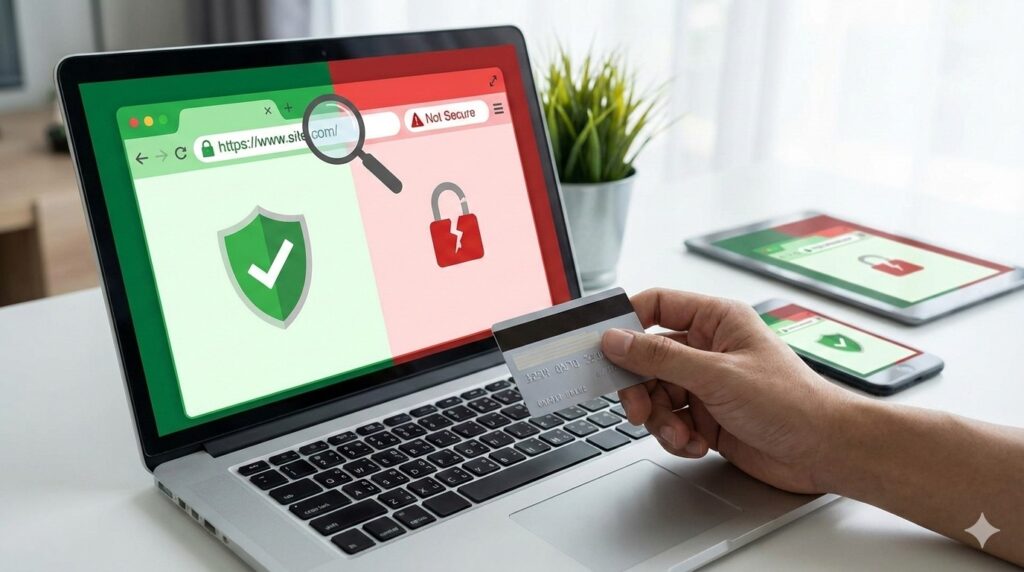
How to Tell If a Website Is Safe Before Entering Information
You click a link, land on a website, and everything looks fine. The page has a logo, familiar colors, and maybe even a sign-in box or payment screen. Still, a small voice in your head asks:
“Is this website actually safe?”
That question comes up often for home users.
Good news is you don’t need technical skills to check a website’s safety. This guide explains simple signs anyone can use before entering personal or financial information.
A website is usually safe if:
- The web address starts with https://
- A padlock icon appears in the address bar
- The website name is spelled correctly
- The page looks clean and professional
- It does not pressure you to act immediately
If anything feels rushed, unfamiliar, or slightly off, pause and verify before typing anything.
Why Checking Website Safety Matters
Many unsafe websites are designed to look real. Online imposters copy layouts, logos, and wording to trick people into entering information.
Problems often happen when:
- A link is clicked from an email or text
- A website looks familiar but isn’t exact
- Urgency pushes quick decisions
Learning to pause and check a few details can prevent serious issues.
For common fake messages that lead to unsafe sites, this guide helps:
https://snsproglobal.com/how-to-tell-if-bank-email-or-text-is-fake/
Step-by-Step: How to Check If a Website Is Safe
1. Look for HTTPS and the Padlock
At the top of your browser:
- The address should start with https://
- A padlock icon should appear
This means the connection is encrypted. ⚠️ No padlock or “Not Secure” is a red flag.
2. Read the Website Address Carefully
Unsafe sites often use:
- Extra letters or numbers
- Misspellings
- Added words like “-secure” or “-verify”
Example:
bankname-secure-login.com instead of bankname.com
Slow down and read every word.
3. Watch for Pressure or Urgency
Be cautious if the site says:
- “Act now or lose access”
- “Immediate action required”
- “Your account will be closed today”
Legitimate websites rarely rush you this way.
4. Check the Overall Look and Feel
Safe websites usually:
- Load smoothly
- Have clear menus
- Use consistent fonts and spacing
Warning signs include:
- Broken links
- Poor grammar
- Pop-ups asking for personal details
5. Look for Contact Information
Trustworthy websites often show:
- A contact page
- A physical address
- Clear support options
If there’s no way to reach the business, that’s a concern.
Be Extra Careful With Links From Emails or Texts
Many unsafe websites are reached through links in messages.
If a message asks you to click:
- Don’t click the link
- Open a new browser window
- Go to the website yourself
This guide explains what to do if a link was already clicked:
https://snsproglobal.com/what-to-do-if-you-clicked-a-suspicious-link/
Extra Protection That Helps
🔑 Strong Passwords
Strong, unique passwords reduce damage if a site turns out to be unsafe.
👉 https://snsproglobal.com/simple-password-management-for-seniors/
Two-Step Verification
Adds a second layer of protection beyond passwords.
https://snsproglobal.com/two-factor-authentication-2fa-guide/
Good Cyber Hygiene
Safe habits make spotting unsafe websites easier.
https://snsproglobal.com/stay-safe-online-in-2024-cyber-hygiene-tips-for-seniors/
Real Stories From People We’ve Helped
White Plains, NY
“I almost entered my card details. SNSPro helped me notice the address was slightly wrong.”
Scottsdale, AZ
“The site looked official. SNSPro showed me how to spot the missing padlock.”
Walnut Creek, CA
“I clicked a shopping link. They helped confirm it was unsafe before I entered anything.”
Irvine, CA
“I learned to type website addresses myself instead of clicking links.”
Naples, FL
“Now I always pause and check. It’s made a big difference.”
Need Help Checking a Website Safely?
If you’re unsure whether a website is safe, it’s better to check first.
SNSPro Global helps home users:
- Review suspicious websites
- Confirm safe sign-in pages
- Secure accounts and devices
- Explain everything calmly
👉 Get trusted help:
https://snsproglobal.com/contact-us/
FAQs — Website Safety
Is HTTPS enough to make a site safe?
No. HTTPS helps, but you should also check spelling, design, and behavior.
Can unsafe websites look real?
Yes. Many are designed to look almost identical to real sites.
Should I trust ads at the top of search results?
Not always. Some ads lead to unsafe websites.
What if I already entered information?
Change passwords immediately and monitor your accounts.