 Skip to content

Published on January 2, 2026 by SNSPro Global
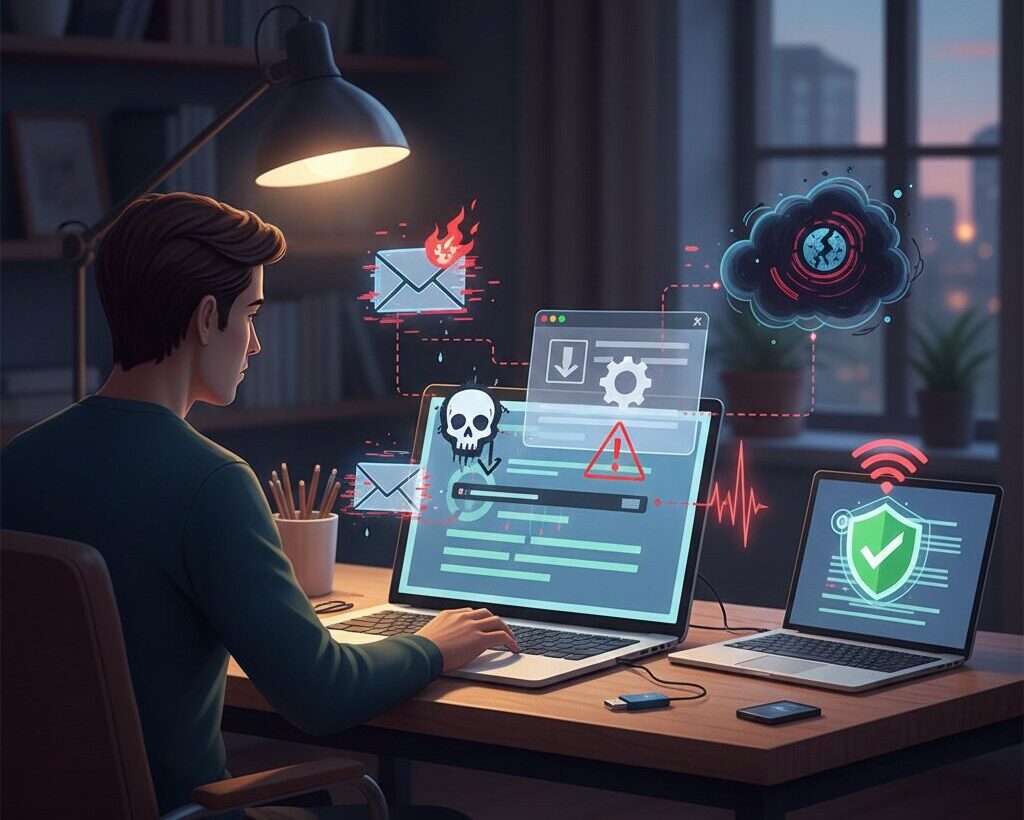
Most people use their home computer for everyday tasks such as email, online banking, shopping, and staying in touch with family.
Because of this regular use, home computers have become a common target for malware.
At SNSPro Global, we regularly help people who were using their computer normally when malware appeared. In many cases, there was no clear warning or obvious mistake. Malware often spreads in ways that are easy to miss.
Our cybersecurity specialists have hands-on experience identifying, removing, and preventing malware on home computers using proven methods.
This article explains how malware gets onto home computers in clear, straightforward language. It focuses on helping you understand the risks, recognise early signs, and feel more confident about protecting your computer.
How Does Malware Get Onto Home Computers?
Malware commonly gets onto home computers in these ways:
- Phishing emails
- Fake emails that look like messages from banks, delivery companies, or service providers. Clicking links or opening attachments installs malware silently.
- Unsafe or free software downloads
- Free tools, PDF converters, and “system cleaners” often bundle hidden malware.
- Fake software update pop-ups
- Messages claiming your computer is out of date that install malware instead of real updates.
- Infected or compromised websites
- Outdated browsers can be infected just by visiting certain websites, even without clicking anything.
- Unsecured Wi-Fi networks
- Weak home or public Wi-Fi allows attackers to inject malware into normal internet traffic.
- USB drives and external devices
- Plugging in infected USB drives can spread malware automatically.
In short: malware usually enters home computers during normal, everyday online activity—not through obvious mistakes.
What Is Malware?
Malware is short for malicious software.
It is designed to damage your computer, steal personal information, or spy on your activity.
Malware can:
- Steal passwords or banking details
- Record what you type
- Slow down your computer
- Lock files and demand payment
Common types include:
- Viruses
- Ransomware
- Spyware
- Adware
- Trojans
The Most Common Ways Malware Infects Home Computers
1. Phishing Emails (Most Common Cause)
Phishing emails are the number one way malware spreads to home computers.
These emails often look like they come from:
- Delivery companies
- Banks or credit card providers
- Medical offices or service providers
What happens:
Clicking a link or opening an attachment installs malware quietly in the background.
2. Free Software & Unsafe Downloads
Many malware infections start with free downloads.
High-risk downloads include:
- Free PDF converters
- “System cleaner” tools
- Cracked or pirated software
People often notice problems later and wonder why their computer suddenly feels slow.
This guide explains why:
https://snsproglobal.com/why-is-my-computer-running-slow-fix-guide/
3. Fake Software Update Pop-Ups
Fake update messages often say:
- “Your computer is out of date”
- “Critical security update required”
These pop-ups look official but install malware instead.
Safe rule:
Only update software through Windows Update, macOS System Settings, or official websites.
4. Infected or Compromised Websites
Some websites can infect your computer without clicking anything, especially if your browser is outdated.
A common result is browser hijacking or constant redirects.
If this is happening, see:
https://snsproglobal.com/fix-browser-redirects-remove-unwanted-toolbars/
5. Unsecured Wi-Fi Networks
Weak or open Wi-Fi makes it easier for attackers to inject malware.
This is commonly seen in homes, retirement communities, and shared buildings in places like Boca Raton, Naples, The Villages, Scottsdale, Plano, and Brentwood.
6. USB Drives & External Devices
USB drives shared between devices can quietly spread malware, even on home computers.
Warning Signs Your Computer May Be Infected
Common warning signs include:
- Slower performance
- Unexpected pop-ups
- Browser redirects
- Antivirus being disabled
- Unknown programs opening automatically
If you notice more than one sign, malware may already be present.
Real Stories From People We’ve Helped
Home Computer Malware – Boca Raton, FL
A retiree noticed constant pop-ups and slow performance.
The cause was malware bundled with a free PDF tool.
We removed the malware and secured the system.
Ransomware on a Home Office PC – Naples, FL
A home-based consultant opened a fake invoice email and lost access to files
We safely removed the ransomware and restored clean backups.
Shared Family Computer Infection – The Villages, FL
A shared household computer began redirecting to unfamiliar websites.
The issue was a fake browser update pop-up.
We cleaned the system and restored safe browsing.
Spyware on a Personal Laptop – Irvine, CA
A laptop became unusually slow and unreliable.
Hidden spyware was found running in the background.
We removed it and helped secure online accounts.
How to Prevent Malware on Home Computers
✅ Simple steps that work:
- Keep Windows or macOS updated
- Use trusted antivirus software
- Avoid unknown or “free” cleanup tools
- Be cautious with email links
- Secure your home Wi-Fi
- Back up important files
These actions significantly reduce risk.
Why Expert Help Matters (EEAT)
Modern malware is designed to stay hidden. Basic scans don’t always find advanced threats.
- Our cybersecurity professionals help by:
- Detecting hidden malware
- Securing affected systems
- Preventing reinfection
- Explaining everything clearly, without jargon
Concerned about malware on your home computer?
Early action can prevent data loss and financial harm.
Contact SNSPro Global today:
https://snsproglobal.com/contact-us/
Frequently Asked Questions About Malware on Home Computers
How does malware usually get onto a home computer?
Through phishing emails, unsafe downloads, fake updates, infected websites, or unsecured Wi-Fi.
Can malware infect my computer without clicking anything?
Yes. Outdated systems can be infected through compromised websites.
Why is my computer suddenly running slow?
Slow performance is often caused by malware running in the background.
Is antivirus software enough?
Antivirus helps, but advanced malware often needs professional removal.
What should I do if I think my computer is infected?
Disconnect from the internet and seek expert help as soon as possible.