 Skip to content

Published on September 1, 2025 by SNSPro Global
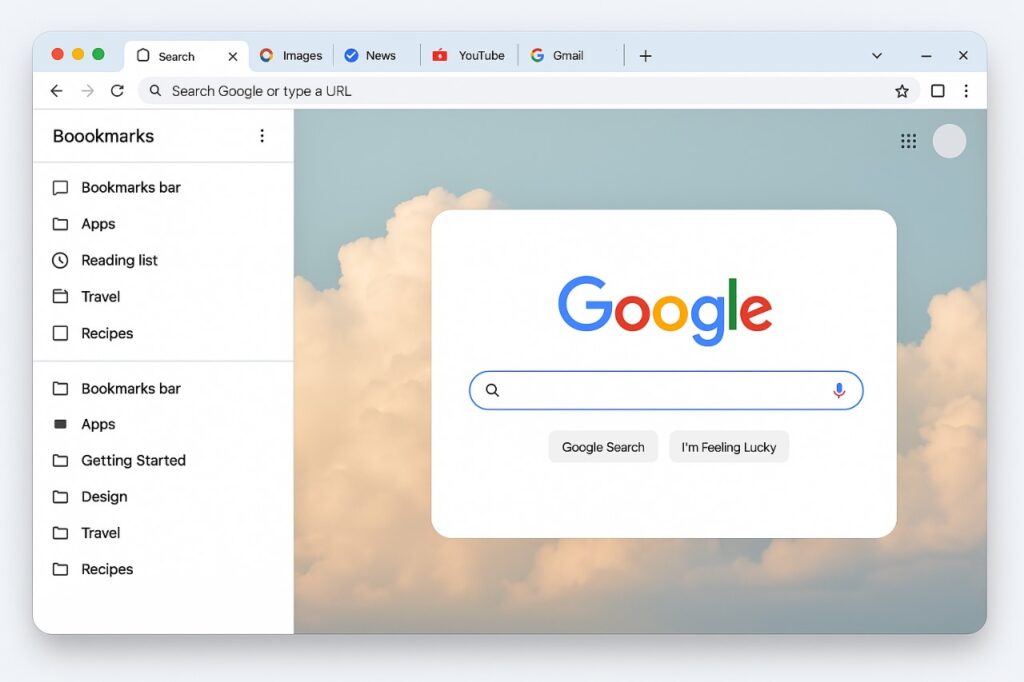
Google Chrome continues to evolve with new features in 2025 that enhance browsing speed, boost productivity, and improve online security. Whether you’re a power user or casual browser, these updates are designed to make your experience faster, smarter, and safer. This quick guide covers the most useful Chrome update features of 2025 and shows you how to take advantage of them.
1. Tab Group Memory Saver: Keep Chrome Fast and Light
If you often open many tabs, Chrome’s Tab Group Memory Saver in 2025 is a game-changer. It pauses unused tabs automatically, freeing up system memory without losing your place.
How to use this feature:
Go to Settings > Performance > Memory Saver and toggle it on. You can also exclude important tabs you want running continuously.
For tips on improving digital productivity, check out this self-help article.
2. Smarter Password Suggestions & Data Breach Alerts
Chrome’s AI-powered password manager now offers stronger, AI-generated password suggestions. It scans for compromised credentials and alerts you immediately if any saved passwords appear in data breaches.
Pro tip: Manage your saved passwords anytime by typing chrome://password-manager in the address bar.
Discover more about online security in this self-help guide.
3. Side Panel Enhancements: Access Info Without Switching Tabsour Fingertips
The versatile Side Panel lets you access bookmarks, your Reading List, and even Google Search results without opening new tabs
Try this: Right-click a link and select “Open in side panel” to explore without losing your current page.
4. Enhanced Search Suggestions: Omnibox Gets Smarter
The Chrome address bar (Omnibox) now shows more relevant, contextual suggestions including trending searches, bookmarked pages, and Google Drive files (if signed in).
Bonus: Start typing a document name to see Drive files suggested instantly — no need to open another tab!
5. Customize Chrome Themes Easily: More Personalization Options
Personalize your browser effortlessly with the new Customize Chrome panel. Switch between stunning themes, upload background images, or try seasonal color palettes to keep your browser fresh.
Get started by clicking the “Customize Chrome” button on any new tab page.
Final Tip: Stay Updated with chrome://whats-new/
To catch every new update as they roll out, type chrome://whats-new/ into your address bar. This built-in feed highlights the latest productivity upgrades, security improvements, and visual tweaks with every major Chrome release.
Frequently Asked Questions (FAQs): Google Chrome Latest Features 2025
How do I enable the Tab Group Memory Saver in Chrome 2025?
Navigate to Settings > Performance > Memory Saver and toggle it on. You can choose to exclude specific tabs from being paused.
Can Chrome suggest stronger passwords automatically?
Yes, the updated Chrome password manager uses AI to generate strong passwords and alerts you about compromised credentials.
What new options are available in the Chrome Side Panel?
Access bookmarks, your Reading List, and Google Search results without switching tabs.
How has Chrome’s search suggestion improved in 2025?
The Omnibox now suggests trending searches, bookmarks, and Google Drive files relevant to your query.
How do I customize Chrome themes in 2025?
Click the “Customize Chrome” button on a new tab page to switch themes, upload backgrounds, or try seasonal palettes.
If you have any questions or require further assistance.