 Skip to content

Published on March 5, 2026 by SNSPro Global
Why Your Email Attachments Won’t Open: A Simple Guide for Your Home Office
It’s a situation we’ve all faced. You’re sitting down at your desk in Scottsdale or enjoying the morning breeze in Hilton Head, ready to check an update on your investments or a new photo of the grandkids. You see the email, you see the paperclip icon, but when you click it—nothing happens.
At SNSPro Global, we know how frustrating this is, especially when you’re waiting on an important contract, a family photo, or your latest TurboTax summary. Usually, the fix is much simpler than you think and doesn’t require a brand-new computer.
Quick Answer: Why can’t I open my attachments?
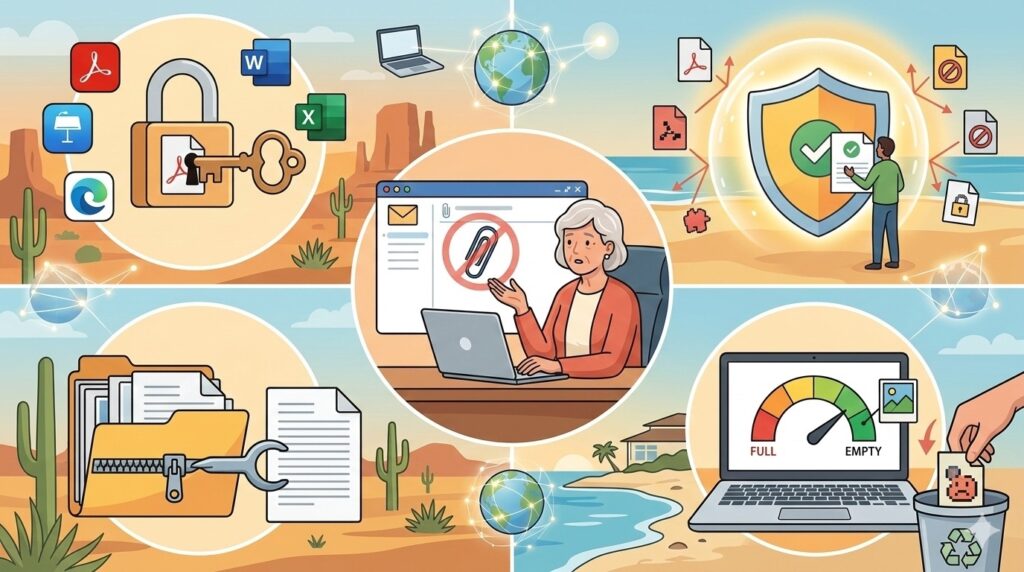
If you’re looking for a fast fix, check these four common culprits:
- Missing Software: You might not have the right “key” (like Adobe Reader or Microsoft Excel) to open that specific file type.
- Security Blocks: Your antivirus or email provider might be “over-protecting” you by blocking a file it doesn’t recognize.
- Compressed Files: Large folders are often “Zipped.” You must “Extract” them before the files inside will open.
- Full Storage: If your laptop or email inbox is completely full, there’s no room for the new file to land and open.
Common Reasons Your Attachments Are Stuck
1. You Lack the Right “Key” (Software)
Think of a file extension (like .docx, .pdf, or .zip) as a lock. If you don’t have the right software installed on your desktop, the file won’t open. If someone sends you a spreadsheet for your records and you don’t have Microsoft Office, your computer won’t know what to do with it.
• The Fix: Right-click the file and select “Open With” to see if your computer suggests a program you already own.
2. Safety First (Sometimes Too Much Safety!)
If you’ve recently read our guide on how to recognize and block spam emails, you know that being cautious is vital. However, sometimes your computer’s security is so tight it blocks legitimate files because it doesn’t recognize the sender.
3. Connection and Storage Issues
A weak Wi-Fi signal can cause “partial downloads,” making files appear corrupted. Additionally, if you haven’t used email filters to organize your inbox, a cluttered mail account can sometimes glitch when trying to process new attachments.
Real Stories From People We’ve Helped
The “Invisible” Invoice in Naples Sarah, a retiree in Naples, Florida, was panicking because she couldn’t open an invoice from her contractor. She feared her computer was broken. It turned out her browser cache was full, preventing the download. After a quick 10-minute remote session to clear the “clutter,” she was back to managing her home renovations!
The Tax Document Trouble in Westchester David in Westchester County was getting ready for tax season. He couldn’t open the PDF from his bank. He was worried he had been hacked. We helped him realize his Adobe Reader was simply five years out of date. We updated his software and showed him how to tell if a bank email is fake so he could browse with confidence.
The Grandparent Connection in Santa Fe A lovely lady in Santa Fe couldn’t open a video of her grandson’s graduation. The file was “zipped” to make it smaller. She didn’t want to “break anything” by clicking the wrong button. We walked her through the “Extract” process over the phone, and she was watching the video—and drying her eyes—in no time.
Pro Tips for Troubleshooting
- Save it First: Instead of double-clicking the icon inside the email, click the “Download” arrow and save it to your Documents folder first.
- Check the Name: If the file ends in something strange like .exe, do not open it.
- Restart Your Laptop: It sounds simple, but a “fresh start” fixes about 50% of attachment issues.
- Verify the Source: If an attachment from a friend looks suspicious, give them a quick call before opening it.
Get Expert Tech Support Today
You’ve worked hard for your home and your lifestyle; you shouldn’t have to struggle with a stubborn computer. Whether you’re in Santa Clara, Charleston, or Jackson Hole, SNSPro Global offers patient, expert remote support. We handle the tech so you can get back to your family, your pets, and your peace of mind.
We’re happy to help you get everything configured perfectly. 👉 Contact Us at SNSPro Global
Frequently Asked Questions (FAQs)
Q: Why does my computer say “File Corrupted”?
A: This usually means the download was interrupted. Delete the file and try downloading it one more time with a strong internet connection.
Q: Is it safe to open attachments on my smartphone?
A: Generally yes, but it is harder to see the full file name on a small screen. We recommend using your laptop for important financial documents in Quicken or TurboTax.
Q: Can I open a “Pages” file on my Windows computer?
A: “Pages” is for Mac users. You may need to ask the sender to resend it as a Word document or a PDF.